

Database of Cargo Items
Under the tab Cargo items you can easily add, import, and maintain a database of cargo items:
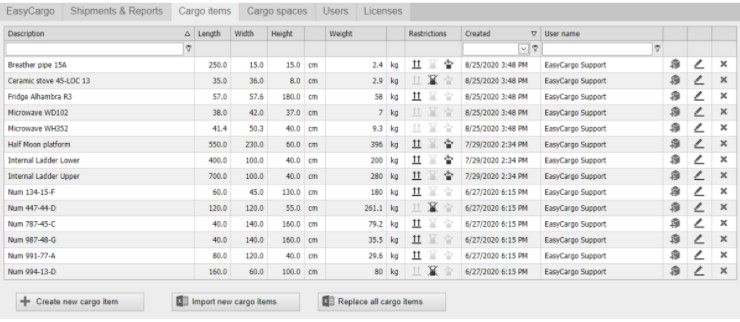
When importing items into the database, you can either add them to the current items that are already in the database (use the button Import new cargo items) or replace them (click the button that says Replace all cargo items, which will overwrite the previous items).
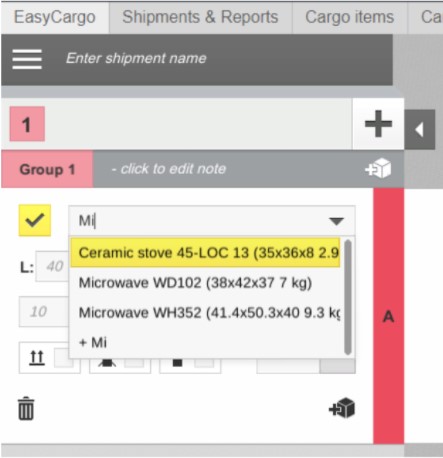
In EasyCargo, the items from the database can simply be added to the load plan by entering part of the cargo item's name in the description of the item, and then all of the item's properties will be prefilled automatically from the database:
The cargo Items database API is also already available.